1. Factory Defects
Faults that occur during the manufacturing process before the product reaches the consumer.
- Dead on Arrival (DOA) components.
- Solder bridges or "cold" joints.
- Physical damage within packaging.
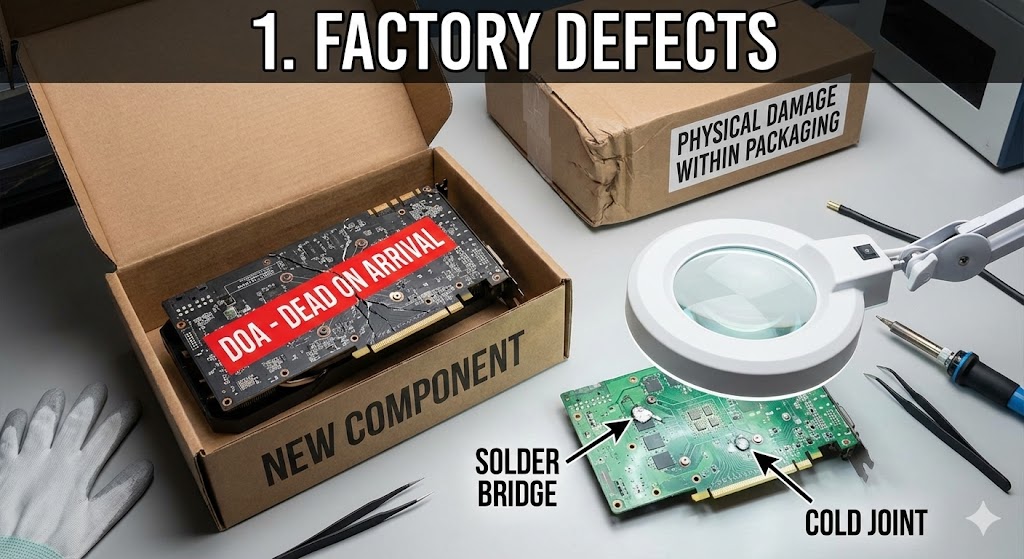
Factory Defects & DOA
A flaw resulting from a mistake during creation or assembly, rather than user error.
Real-World Scenarios:
- Dead on Arrival (DOA): A brand new PC won't POST because the CPU socket has bent pins straight out of the box.
- Cold Solder Joints: A GPU crashes after 10 minutes due to poor soldering losing contact when warm.
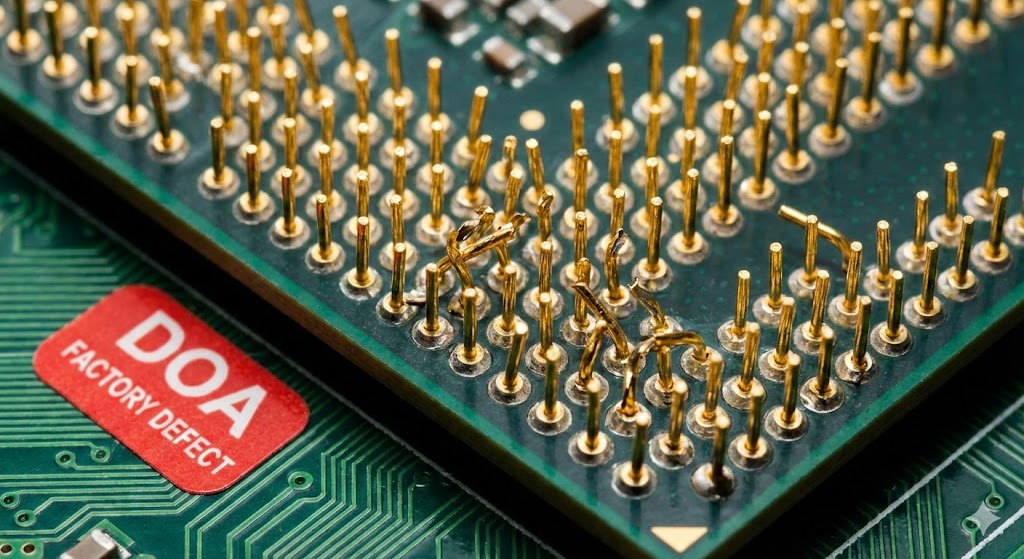
Why does this happen?
Mass production stress, environmental fluctuations (humidity in cleanroom), or "Silicon Lottery" batch errors.
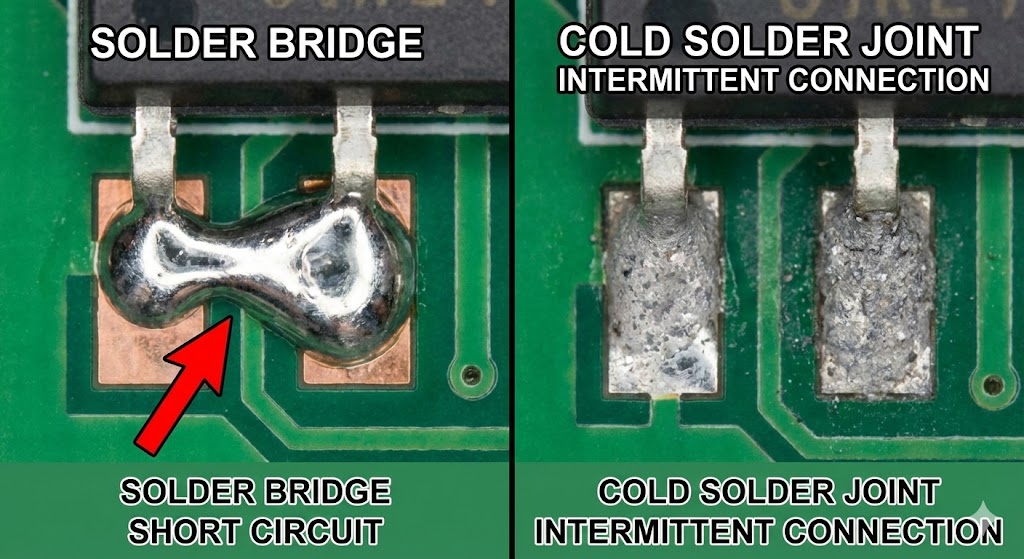
Solder Bridges & Cold Joints
Common physical defects on PCBs like motherboards.
Solder Bridge
Unintended connection between two pads causing a short circuit.
Cold Solder Joint
Solder didn't melt completely; creates high resistance/intermittent connection.
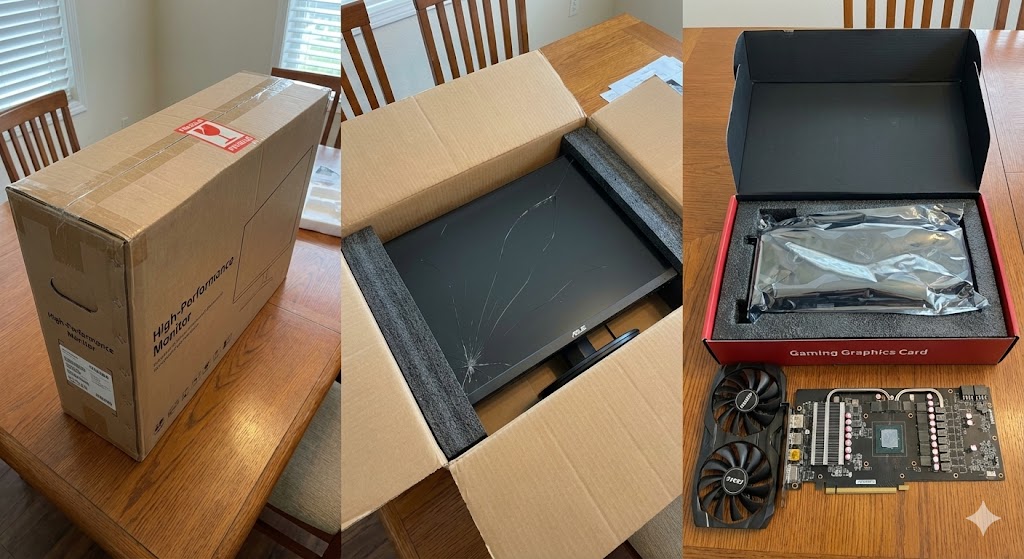
Physical Damage (Sealed)
"Concealed Damage" - Broken components despite intact retail box seals.
Examples:
- Cracked screens inside foam padding.
- Heavy GPU heatsinks snapping off due to inertia drops.
2. Nonconformity to Specifications
When hardware fails to meet the performance or physical requirements promised in the technical data sheet.
- RAM clocked lower than advertised speeds.
- Power Supply Units (PSU) providing unstable voltages.
- Incompatible dimensions for rack-mount installations.

RAM Speed Mismatch
Installed memory runs at "Safe Default" (e.g., 2133MHz) instead of advertised speed (e.g., 3200MHz).
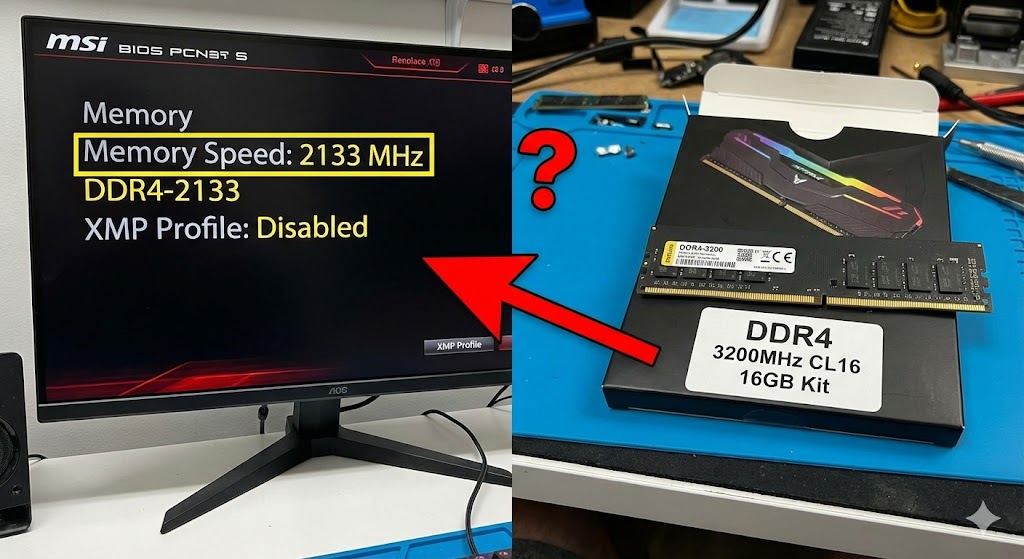
Fix: Enable XMP/DOCP in BIOS. If it crashes, the RAM is defective.
PSU Instability
PSU fails to deliver steady voltage within ATX Tolerance (±5%).
| Rail | Fail Condition |
|---|---|
| +12V | < 11.40 V |
| +5V | < 4.75 V |
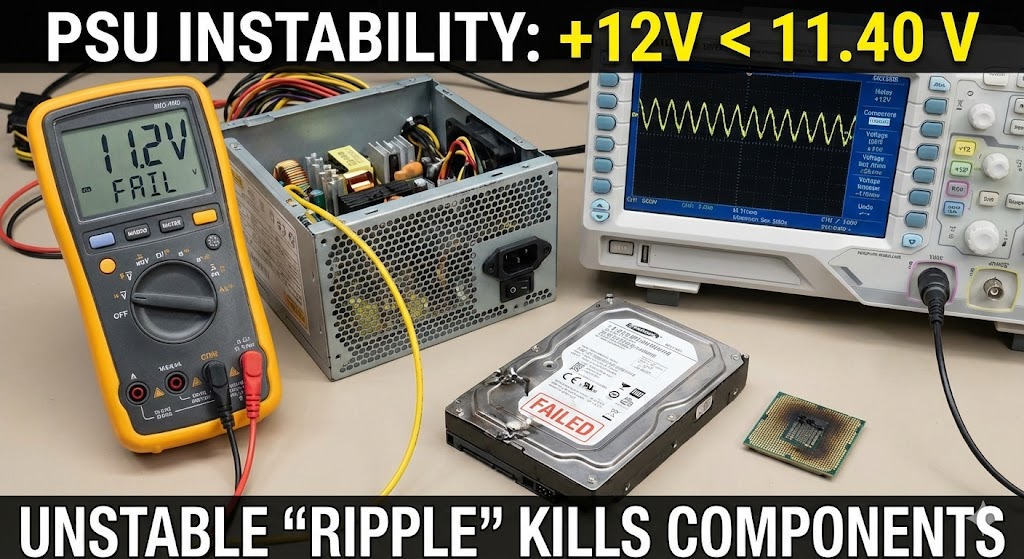
Unstable voltage creates "Ripple" which kills HDDs and CPUs over time.
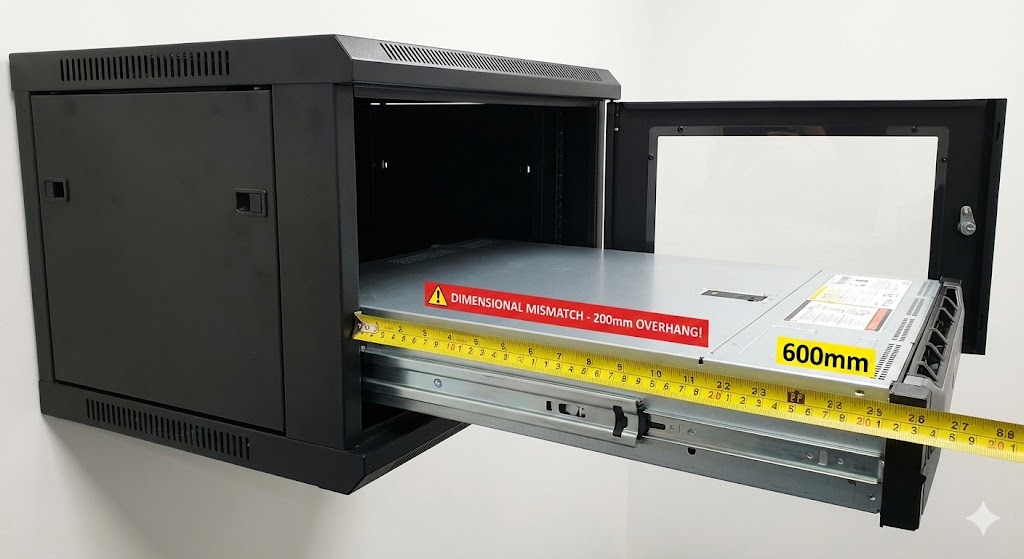
Dimensional Mismatch
Hardware meets electrical specs but fails physical installation (Rack Depth).
The "Depth" Trap
Installing a deep Server (800mm) into a shallow Network Cabinet (600mm).
Grounding & Gauging
1. Equipment Grounding
PEC mandates a 3-wire system. Removing the ground pin ("Cheater Plug") leaves the PC case floating, causing shocks.
2. Wire Gauging (AWG)
Using thin wires (high AWG) for servers causes overheating and melting.
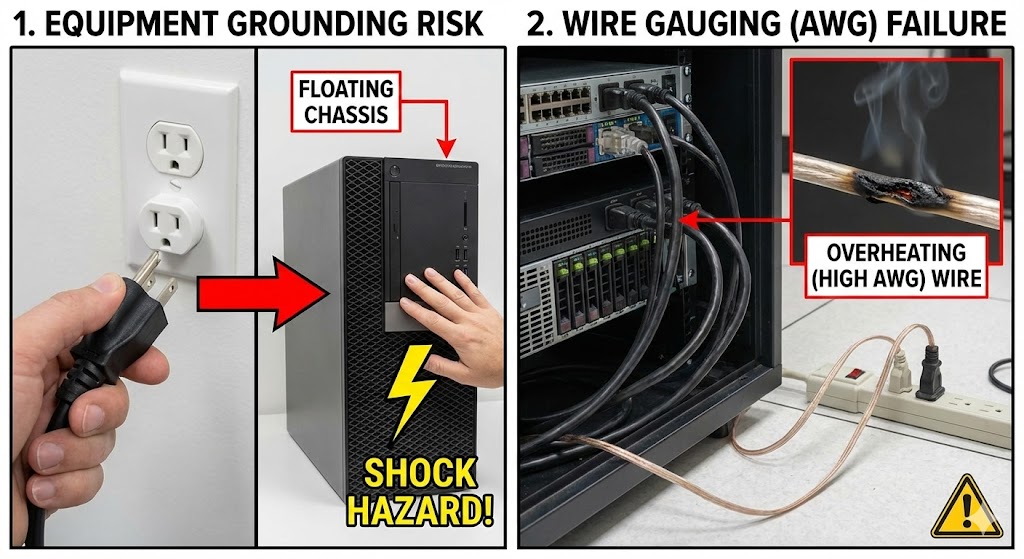
Violation:
Breaking the 3rd pin violates PEC Art. 2.50. PEC Article 2.50 refers to the section of the Philippine Electrical Code (PEC) titled "Grounding and Bonding."
Safety: Fire & Shock
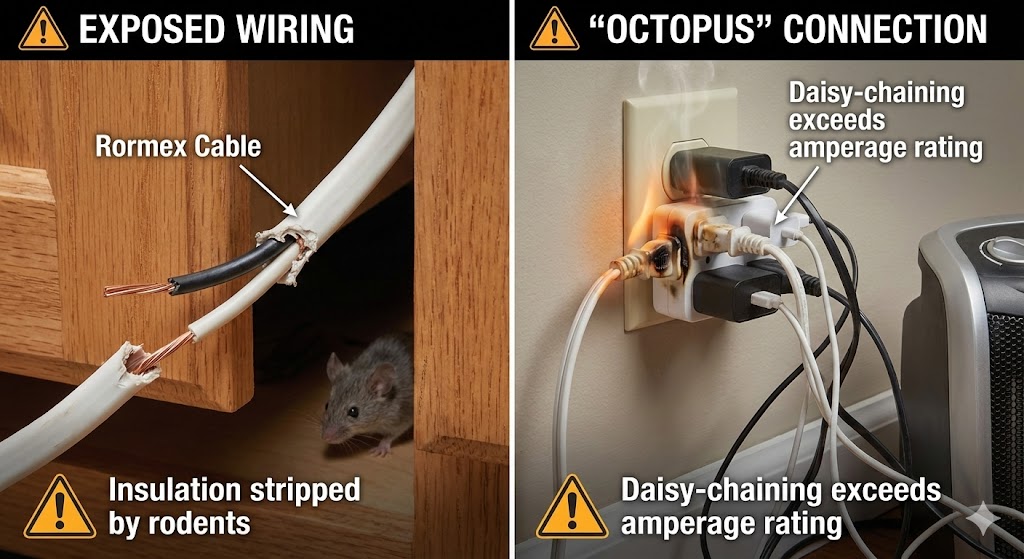
Exposed Wiring
Insulation stripped by rodents or pinch points.
"Octopus" Connection
Daisy-chaining extension cords exceeds amperage rating.
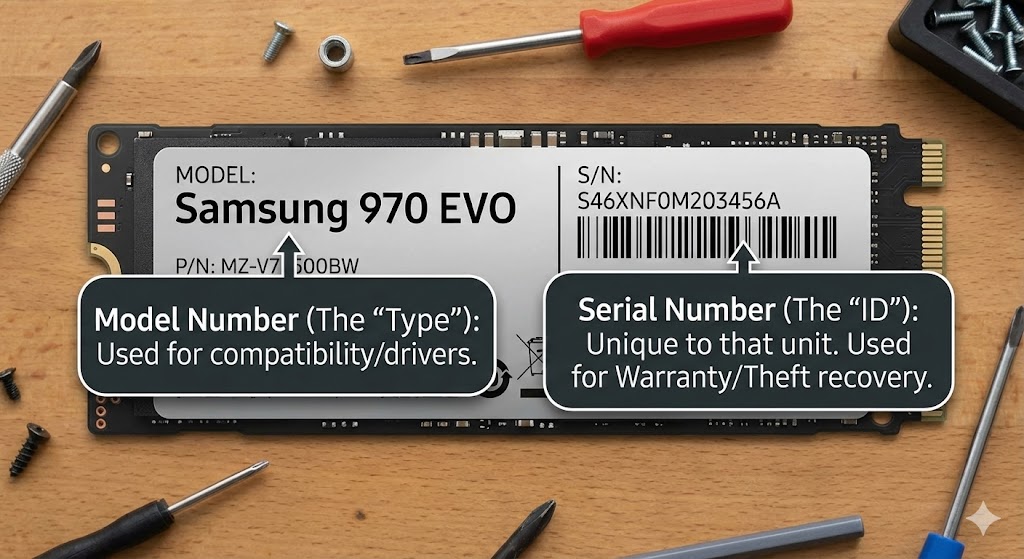
Parts: Model vs Serial
Model Number (The "Type")
Used for compatibility/drivers. (e.g., "Samsung 970 EVO")
Serial Number (The "ID")
Unique to that unit. Used for Warranty/Theft recovery.
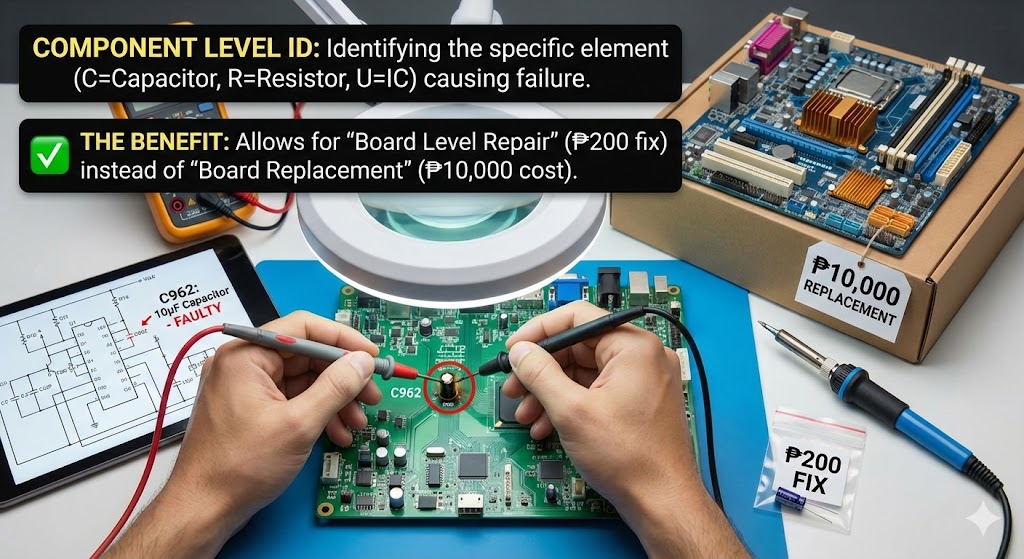
Component Level ID
Identifying the specific electronic element (C=Capacitor, R=Resistor, U=IC) causing failure.
The Benefit
Allows for "Board Level Repair" (₱200 fix) instead of "Board Replacement" (₱10,000 cost).